
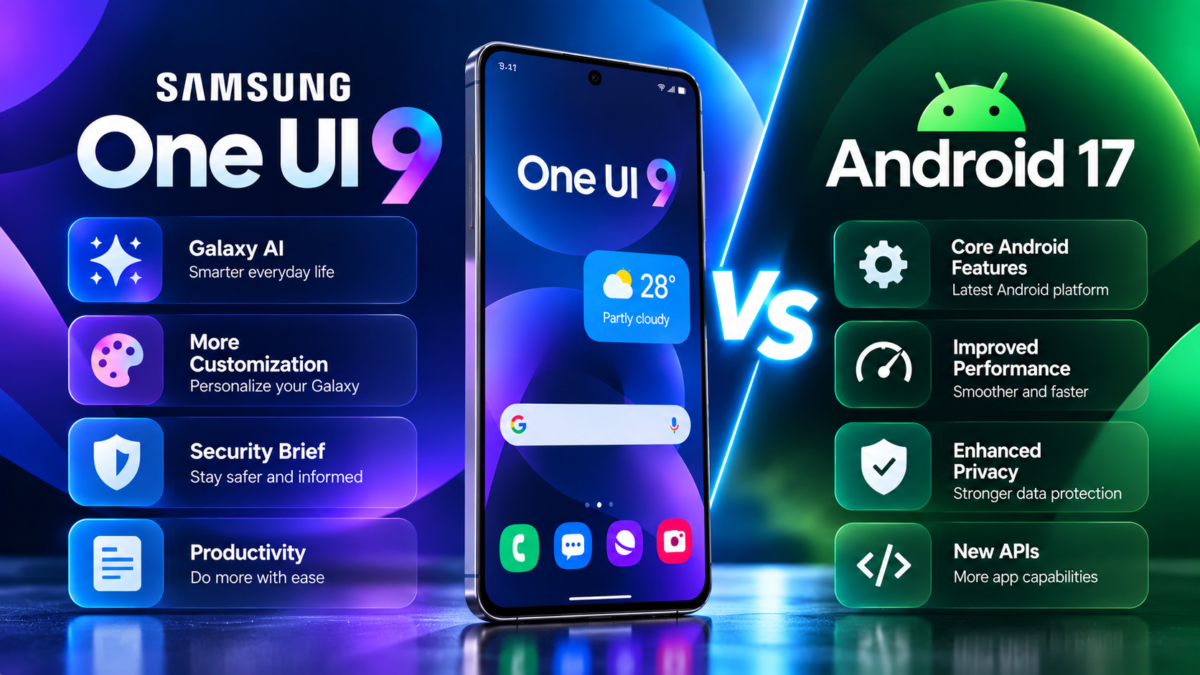
Samsung One UI 9 vs Android 17
Samsung One UI 9 is built on Android 17, but the two names describe different parts of the software experience. Android provides the underlying operating-system platform, while One UI adds Samsung’s interface, applications and Galaxy-specific features.
Understanding this difference helps Galaxy users understand what changes with One UI 9 and which features are unique to Samsung devices.
This guide explains the relationship between Android 17 and One UI 9, the security improvements announced by Samsung and how users can protect their personal information.
What Is Android 17?
Android is Google’s mobile operating system. It provides the underlying framework for applications, system services, permissions, connectivity and other smartphone functions.
Phone manufacturers use Android as the foundation for their own devices and may add their own interfaces and software features.
Android 17 is the platform on which Samsung has based One UI 9.
What Is Samsung One UI 9?
One UI is Samsung’s customized software experience for Galaxy devices.
It includes Samsung’s interface design, system applications, device-specific controls and integrations with the Galaxy ecosystem.
One UI 9 combines Android 17 with Samsung’s own additions, including enhanced Galaxy AI capabilities, updated productivity tools, personalization options and security-related features.
One UI 9 vs Android 17: Key Differences
1. Interface and Customization
Android provides the underlying system, while Samsung adds its own One UI interface and customization experience.
One UI 9 includes Quick Panel layout changes introduced in the beta programme, allowing users greater flexibility over supported controls. The exact options depend on the device and software version.
2. Samsung Galaxy AI
One UI 9 includes Samsung’s expanded Galaxy AI experience, with features such as My FanCam, Now Nudge and customizable Now Brief cards.
These are Samsung-specific experiences rather than features that should automatically be assumed to exist on every Android 17 phone.
3. Samsung Applications
Samsung integrates its own applications and services into the Galaxy experience. One UI 9 includes improvements to supported features such as Document Scan, Voice Recorder and Interpreter.
Android applications and Samsung applications can coexist, but their available functions may differ.
4. Device and Ecosystem Integration
Samsung can tailor One UI to its phones, foldables, tablets and supported accessories. Certain features work only with compatible Galaxy hardware or applications.
Therefore, two phones running the same Android platform can offer different user experiences.
One UI 9 Security Features
Samsung has announced several improvements designed to help users understand potential threats and privacy concerns.
Security Brief
Security Brief brings selected security and privacy information into Now Brief. It can surface alerts concerning issues such as malware, applications from unknown sources and unnecessary permissions.
This gives users another way to notice potential problems without navigating through multiple Settings screens.
Privacy Alerts
Privacy Alerts use on-device AI to help identify potential privacy risks, including unnecessary attempts to access permissions in the background.
The purpose is to give users more visibility into how applications may access sensitive information.
However, automated alerts cannot identify every threat or determine every application’s intentions with certainty.
Scam Detection
Samsung has announced an expansion of Scam Detection to additional countries and languages, including availability planned for India, Japan and Canada.
Actual support depends on the device, region, language and software version. Users should check their local Samsung documentation for details.
How to Improve Privacy on Your Samsung Phone
Even with new security features, users should maintain good security habits.
Review Application Permissions
Open Settings and look for Permission Manager or the relevant privacy controls. Review which applications can access your camera, microphone, location, contacts and photographs.
Remove permissions that an application does not reasonably need.
Install Official Updates
Check Settings > Software update > Download and install regularly. Security updates may address vulnerabilities even when they do not introduce new visible features.
Avoid Untrusted Applications
Download applications from reputable sources and pay attention to warnings about potentially harmful software. Avoid installing unknown files simply because a website promises early access to One UI 9.
Use Strong Authentication
Use a secure screen lock and enable suitable account-protection measures. Keep recovery information current and never share verification codes with unknown callers.
Be Careful With AI-Generated Information
AI-generated summaries, translations and suggestions can contain errors. Verify important financial, medical, legal or work-related information before acting on it.
Will One UI 9 Make Every Samsung Phone More Secure?
Not necessarily in the same way. The security experience depends on the device’s supported software version, available patches, hardware, regional features and user settings.
A device receiving a major Android update may still have different feature support from a newer Galaxy model.
Security features are also not substitutes for installing official updates, avoiding malicious downloads and reviewing permissions.
Frequently Asked Questions
Is One UI 9 the same as Android 17?
No. One UI 9 is Samsung’s customized software experience built on Android 17.
Does Android 17 include all Samsung One UI 9 features?
No. Some features are developed by Samsung and are available only on supported Galaxy devices.
Does One UI 9 protect against every scam?
No. Scam detection and privacy alerts can help identify potential risks, but no automated security system can guarantee detection of every threat.
Are all One UI 9 AI features free?
Not necessarily. Samsung states that basic Galaxy AI features are provided free, while enhanced Samsung AI and third-party AI features may have different terms or fees.
Conclusion
Android 17 provides the foundation for Samsung One UI 9, while Samsung adds its own interface, Galaxy AI tools, productivity improvements and security experiences.
For Galaxy users, the most important considerations are device compatibility, feature availability, software updates and sensible privacy practices.
Read our complete Samsung One UI 9 guide for an overview of the update, or explore the new One UI 9 features and download instructions.