
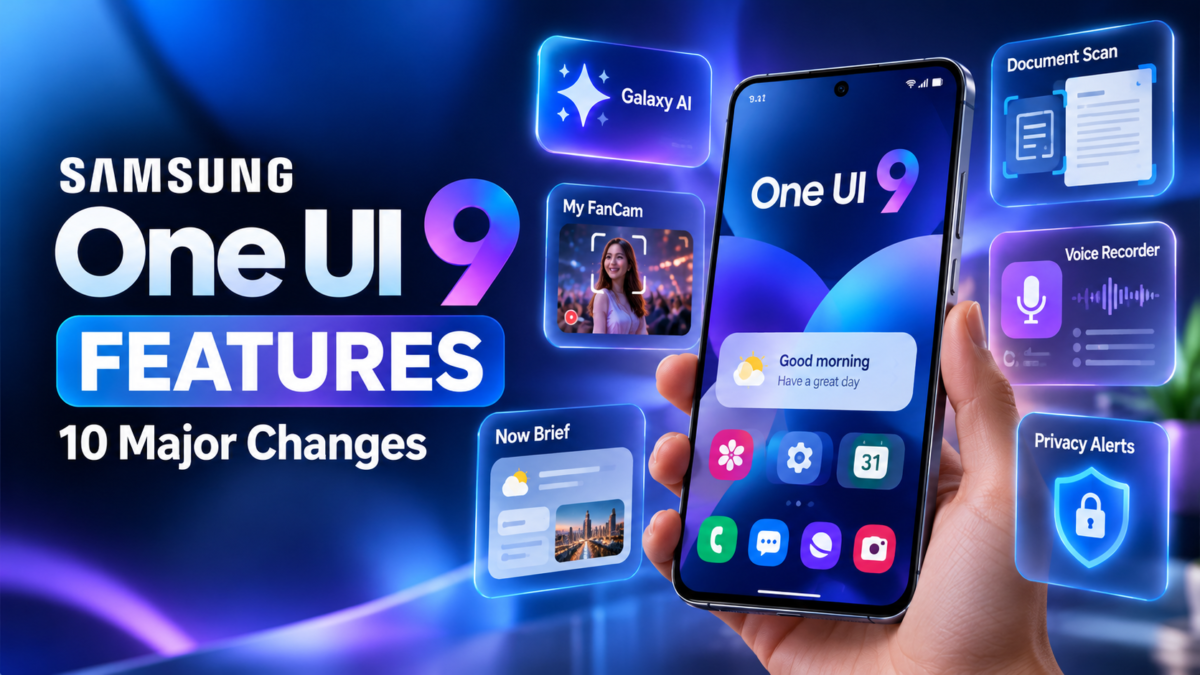
Samsung One UI 9 Features
Samsung One UI 9 introduces a range of improvements designed to make Galaxy smartphones more useful in everyday situations. The update focuses on AI assistance, video creation, personalized information, accessibility, productivity and security.
Built on Android 17, Samsung One UI 9 combines Android platform improvements with Samsung’s own software features. Some capabilities are available only on selected Galaxy devices, and certain AI services require an internet connection or Samsung account.
Here are 10 important One UI 9 features worth knowing about.
1. My FanCam for AI-Powered Video Reframing
My FanCam is one of the notable camera-related additions in Samsung One UI 9. It can track a selected person in a recorded video and automatically reframe the footage to keep them centered.
This may be useful when recording a school performance, a family gathering, a dance or a sporting event. Instead of manually cropping the video to focus on the subject, users can let the feature perform much of the reframing.
The result depends on the video, subject visibility and device support. Samsung also notes that a Samsung account is required.
2. Now Brief With Customizable Cards
Now Brief provides a personalized summary of selected information. In Samsung One UI 9, users can create and edit cards covering supported information categories, including health, weather and video.
The advantage is greater control over what appears in the daily summary. Instead of relying entirely on a fixed presentation, users can tailor supported cards to their needs.
Availability depends on the device, region, applications and permissions granted by the user.
3. Now Nudge for Context-Aware Suggestions
Now Nudge aims to provide relevant suggestions while users are carrying out everyday tasks.
For example, during a conversation about meeting someone, the phone may suggest accessing reservation information or saving a location. The objective is to reduce the need to switch between applications to complete simple tasks.
Suggestions depend on the available context, compatible applications, settings and regional support. They should be treated as assistance rather than guaranteed or always-correct results.
4. Creative Studio Improvements
Creative Studio offers tools for generating personalized visual content. Samsung One UI 9 adds suggestions connected to upcoming events, helping users discover ideas for themed images or greetings.
For example, users may receive an idea for a birthday-themed design before a friend’s birthday.
The feature requires the Creative Studio application, a Samsung account and a network connection. Availability varies by device and market.
5. Improved Interpreter Experience
Samsung’s Interpreter feature receives a Thread View that makes it easier to follow translated conversations by referring to earlier exchanges.
The update also introduces faster translation in Conversation Mode and quicker playback with compatible Galaxy Buds.
These improvements may be useful for travelers and people communicating across language barriers. Translation accuracy and supported languages can vary, so important information should be checked when precision matters.
6. Better Document Scanning
Document Scan is designed to handle challenging paper documents, including curved book pages and folded corners, with less manual correction.
This can help students digitize notes, professionals scan paperwork and users save important documents as digital files.
Compatible large-screen Galaxy devices also receive optimized views, while an improved Finger Eraser can help clean up scans.
7. More Structured Voice Recorder Summaries
Voice Recorder presents summaries in a clearer format, including elements such as headings and tables.
This can make lengthy recordings easier to review, particularly for meetings, interviews and study sessions.
AI-generated summaries can omit details or make mistakes. Always review important names, figures, instructions and decisions against the original recording.
8. Warranty and Care in Settings
The Warranty and Care section brings device-support information into Settings.
Depending on the country and device, users can check warranty coverage for linked devices, run self-diagnostics, view repair estimates, manage Samsung Care+ or arrange service.
The aim is to make routine device maintenance and support easier to access without searching through multiple applications or websites.
9. Security Brief and Privacy Alerts
Security Brief can surface important security information in Now Brief, including alerts related to malware, applications from unknown sources and unnecessary permissions.
Privacy Alerts use on-device AI to help identify potential privacy risks, such as unnecessary attempts to access permissions in the background.
These features offer additional awareness, not a guarantee that every threat or privacy issue will be detected.
10. Accessibility and Quick Panel Improvements
The Samsung One UI 9 beta introduced greater Quick Panel layout flexibility, with independently adjustable brightness, sound and media controls and more sizing options.
Samsung also announced accessibility improvements, including adjustable Mouse Key speed, a combined TalkBack package and Text Spotlight, which can display selected text more clearly in a floating window.
Users should check the release notes for their particular device because beta features and final feature availability may differ.
Which Samsung One UI 9 Features Are the Most Useful?
The best features depend on how you use your phone.
- For content creators: My FanCam and Creative Studio.
- For students and professionals: Document Scan and Voice Recorder summaries.
- For travelers: Interpreter improvements.
- For everyday convenience: Now Nudge and personalized Now Brief cards.
- For privacy-conscious users: Security Brief and Privacy Alerts.
- For users who need accessibility support: Text Spotlight and other accessibility enhancements.
Frequently Asked Questions
Does Samsung One UI 9 include new AI features?
Yes. Samsung has announced expanded Galaxy AI experiences, including My FanCam, Now Nudge and enhanced Now Brief capabilities.
Are all Samsung One UI 9 features available on older phones?
No. Hardware capabilities, supported applications, regional availability and software versions can limit which features are available.
Does Samsung One UI 9 require an internet connection?
Some services, particularly certain AI and Creative Studio functions, require network connectivity. Not every system feature requires internet access.
Conclusion
Samsung One UI 9 focuses on making Galaxy devices more helpful through AI, customization, accessibility and security improvements. My FanCam, Now Nudge, improved document scanning and Privacy Alerts are among the features worth exploring.
For the complete software overview, visit our Samsung One UI 9 guide. To find out whether your phone may receive the update, read One UI 9 eligible devices and rollout information.
Feature details should be checked against the official Samsung release notes for the specific device and region.